


Messy cords can make even the nicest workspace feel stressful. If your desk is covered in tangled chargers, dangling cables, and random cords you cannot identify, these cable management ideas will help you create a cleaner, calmer setup. With simple desk cable management, affordable tools, and smart home office cable organization, you can turn a cluttered desk into a more functional workspace without spending a lot of money.
Cable clutter is one of those small things that quietly adds stress to your workday. You sit down to focus, but your charging cable has fallen behind the desk. Your laptop cord is wrapped around your lamp cable. Your phone charger looks exactly like your tablet charger. Before you even start working, your desk already feels messy.
The good news is that cable organization does not need to be complicated or expensive. Most of the best cord organization ideas use small, affordable products that solve one specific problem. Cable clips stop cords from falling. Cable boxes hide bulky power boards. Cable sleeves bundle messy wires together. Cord labels make chargers easier to identify. Under-desk trays keep cords off the floor.
Here are nine practical cable management ideas to help your home office desk look cleaner, calmer, and easier to use.
Disclosure: As an Amazon Associate, I earn from qualifying purchases. This post may contain affiliate links at no extra cost to you.
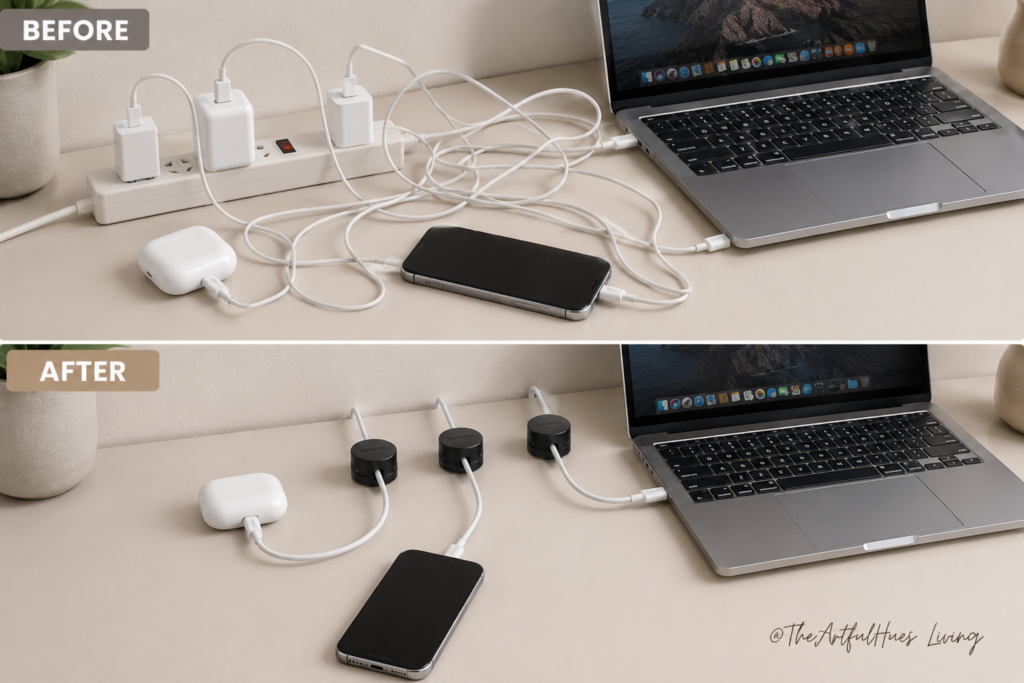
1. Use Cable Clips to Stop Cords Falling Behind the Desk
One of the most annoying desk problems is when your phone charger, laptop cable, or USB cord slips behind the desk. You reach down, pull it back up, use it once, and then it falls again.
Cable clips are one of the easiest fixes.
These small adhesive clips stick to the edge or back of your desk and hold cords in place. They are especially useful for chargers you use every day, such as your phone charger, laptop charger, tablet cable, or headphones cable.
For a clean setup, place cable clips along the back edge of your desk where they are easy to reach but not visually distracting. You can also attach them to the side of your desk if you prefer your cords hidden from the front view.
Best for: phone chargers, laptop cords, USB cables, headphone cables
Affordable product idea: adhesive cable clips or silicone cord holders
Why it works: it keeps your most-used cords exactly where you need them
This is a quick upgrade that makes your desk feel instantly more organised.
2. Hide Power Boards Inside a Cable Management Box
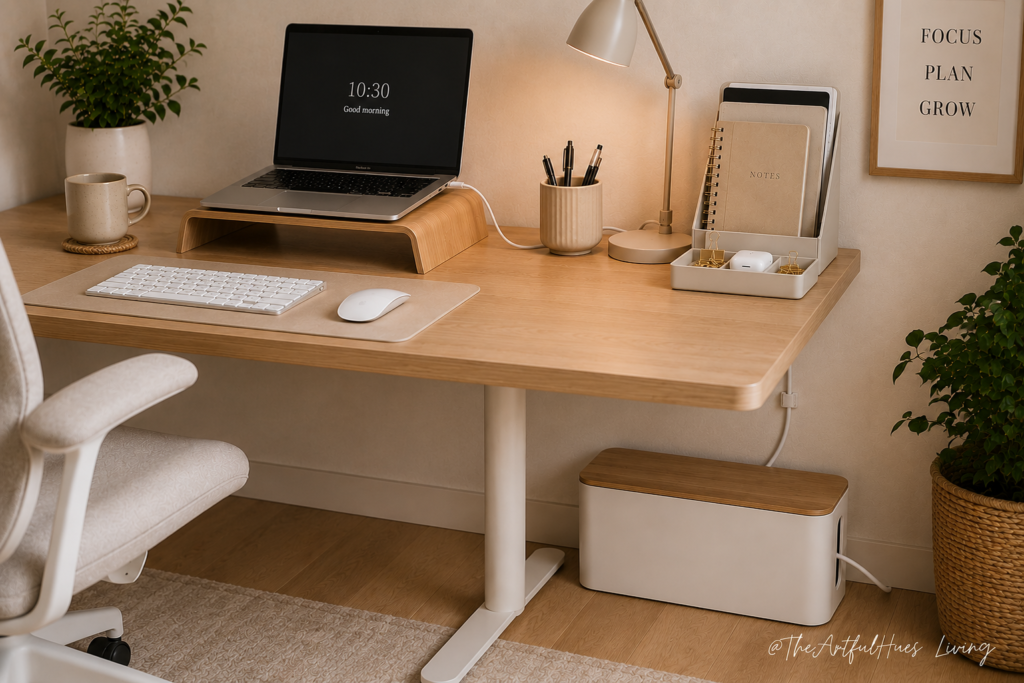
Power boards are useful, but they rarely look good. Between chargers, plugs, adapters, and extension cords, the area under or behind your desk can quickly look chaotic.
A cable management box helps hide the mess.
These boxes are designed to hold a power board and the connected plugs inside. The cords can still come out through small openings, but the bulky part stays hidden. This makes your desk area look much cleaner, especially if your power board is visible on the floor or beside your desk.
Choose a cable box that is large enough for your power board and chargers. If you use bulky laptop chargers or multiple adapters, check the dimensions before buying.
Best for: hiding power boards, chargers, and large adapters
Affordable product idea: plastic or bamboo cable management box
Why it works: it hides the visual clutter without changing your setup
This is one of the best cable management ideas if you want your home office to look more polished.
3. Bundle Messy Cords with Cable Sleeves
If you have several cords running from your desk to the power outlet, they can look messy even if they are technically organised. Cable sleeves help turn multiple wires into one neat bundle.
A cable sleeve wraps around several cords and keeps them together. This is useful for monitor cables, laptop chargers, lamp cords, keyboard cables, and speaker wires.
There are different types of cable sleeves. Some zip up, some wrap around with Velcro, and some are flexible tubes. For a home office desk, a wrap-style or zip-up sleeve is usually easiest because you can add or remove cords when your setup changes.
Best for: bundling monitor cables, lamp cords, and charger cables
Affordable product idea: neoprene cable sleeves or flexible cord sleeves
Why it works: it makes several messy cords look like one clean line
This is especially helpful if your desk is against a wall and cords are visible from the side.
4. Add Cord Labels So You Know What Each Cable Is
Not all cable clutter is visual. Sometimes the problem is confusion.
You look at five black cords and have no idea which one belongs to your laptop, monitor, phone charger, lamp, or printer. That usually leads to unplugging the wrong thing.
Cord labels are a simple fix.
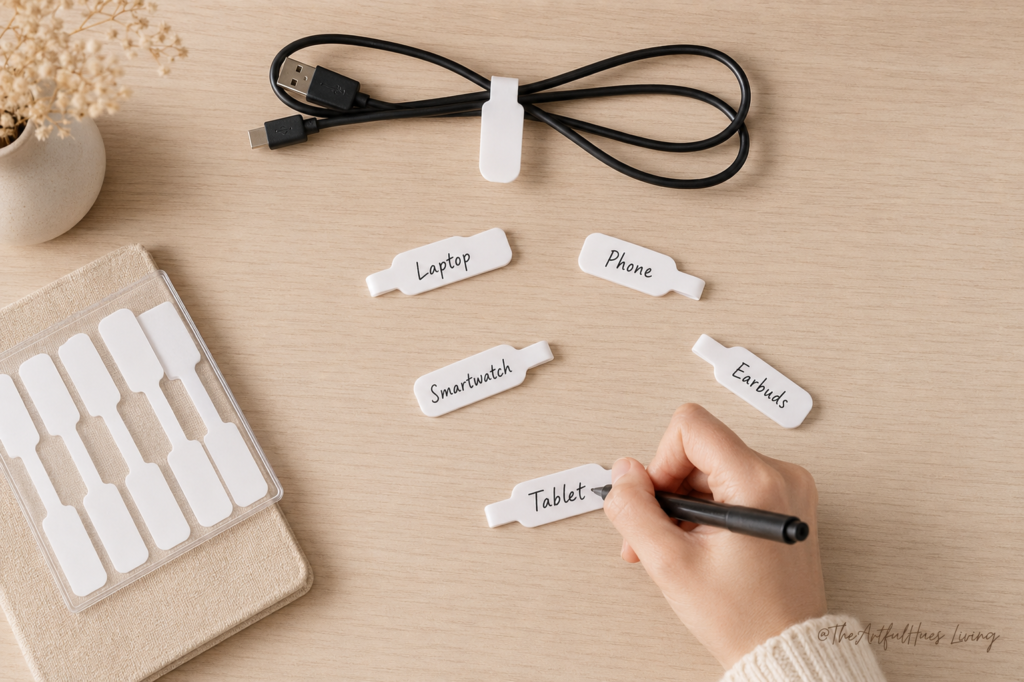
You can use reusable cable labels, clip-on tags, or small write-on labels. Add a label near the plug end of each cord so you can quickly identify what it connects to.
This is especially useful if you use a power board with several devices plugged in. Instead of guessing, you can easily see which plug belongs to each item.
Best for: chargers, monitor cords, printer cables, power boards
Affordable product idea: reusable cord labels or write-on cable tags
Why it works: it saves time and prevents unplugging the wrong device
Cord labels are not the most glamorous home office product, but they are incredibly practical.
5. Install an Under-Desk Cable Tray
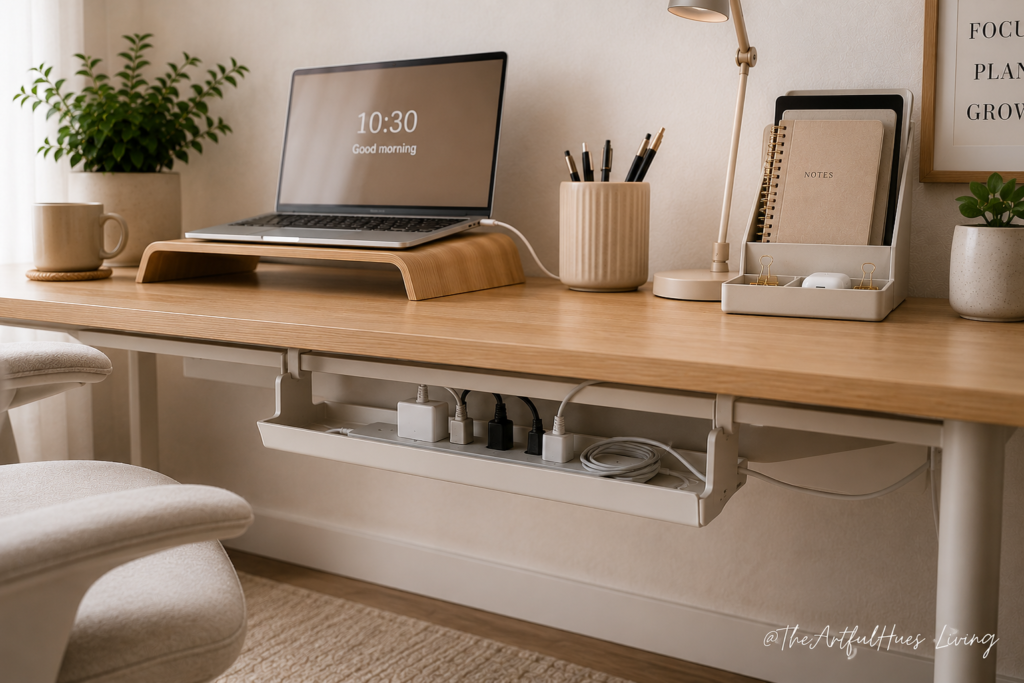
If cords are hanging down behind your desk or sitting on the floor, an under-desk cable tray can make a big difference.
An under-desk tray attaches to the underside or back of your desk and holds cords, power boards, and adapters off the floor. This keeps everything hidden, cleaner, and easier to manage.
This is one of the best options if you want a more permanent desk cable management solution. It works well for desks with computers, monitors, lamps, and multiple charging devices.
Before buying one, check how it attaches. Some trays screw into the desk, while others clamp on. If you are renting or do not want to drill holes, a clamp-on option may be better.
Best for: keeping cords and power boards off the floor
Affordable product idea: under-desk cable tray or clamp-on cable rack
Why it works: it hides cords while keeping them accessible
This is a great upgrade for anyone who wants a cleaner home office desk without constantly rearranging cords.
6. Use Reusable Cable Ties for Everyday Cord Control
Reusable cable ties are one of the most affordable cable management products you can buy.
They are perfect for shortening long cords, bundling extra cable length, or keeping chargers tidy when not in use. Unlike plastic zip ties, reusable cable ties can be opened and adjusted whenever you need to move things around.
Use them to wrap the extra length of your laptop charger, tidy up USB cables, or bundle cords inside a drawer. They are also helpful for travel chargers, camera cables, and spare cords.
Best for: extra cord length, spare cables, charger storage
Affordable product idea: Velcro cable ties or reusable cord wraps
Why it works: they are flexible, cheap, and easy to reuse
This is a small product that can make a surprisingly big difference.
7. Create a Simple Charging Station
If your phone, tablet, earbuds, smartwatch, and power bank all charge in different places, your desk can quickly become a charging mess.
A charging station helps group your devices in one place.
This could be a multi-device charging dock, a small charging organiser, or a simple tray with cable clips. The goal is to stop devices and cords from spreading across the entire desk.
For a clean home office setup, place your charging station in one corner of your desk or on a nearby shelf. Keep only the cords you use daily in that area.
Best for: phones, tablets, earbuds, smartwatches, power banks
Affordable product idea: multi-device charging station or charging dock
Why it works: it reduces device clutter and keeps charging cords contained
A charging station is especially useful if your desk also doubles as your planning, blogging, or content creation space.

8. Use a Desk Grommet or Cord Hole Cover
If your desk has a hole for cords, use it properly. If it does not, you may still be able to add a simple desk grommet depending on the desk style.
A desk grommet lets cords pass neatly through the surface instead of hanging over the back or sides. This gives your workspace a cleaner look and helps keep cords in one controlled area.
If you already have a cord hole, make sure all main cables run through it. If you do not, you can use adhesive cable pass-through clips or a cord organiser attached to the back edge of the desk.
Best for: desks with monitors, lamps, laptop chargers, and accessories
Affordable product idea: desk grommet cover or cable pass-through organiser
Why it works: it gives cords a clear path instead of letting them spread everywhere
This is a simple detail, but it can make your desk look much more intentional.
9. Keep Spare Cords in a Small Organiser Box
Cable management is not just about the cords you use every day. It is also about the extra cords hiding in drawers, baskets, and random corners.
If you have spare chargers, USB cables, adapters, or extension cords, store them in a small organiser box. Use cable ties to wrap each cord first, then place them into labelled sections.
You can use a drawer organiser, storage box, or small zip pouch. The key is to avoid throwing all cords into one pile.
Best for: spare chargers, adapters, USB cords, old cables
Affordable product idea: drawer organiser, cable storage box, or tech pouch
Why it works: it stops unused cords from becoming hidden clutter
This is helpful if you often buy new devices and end up collecting extra cords over time.
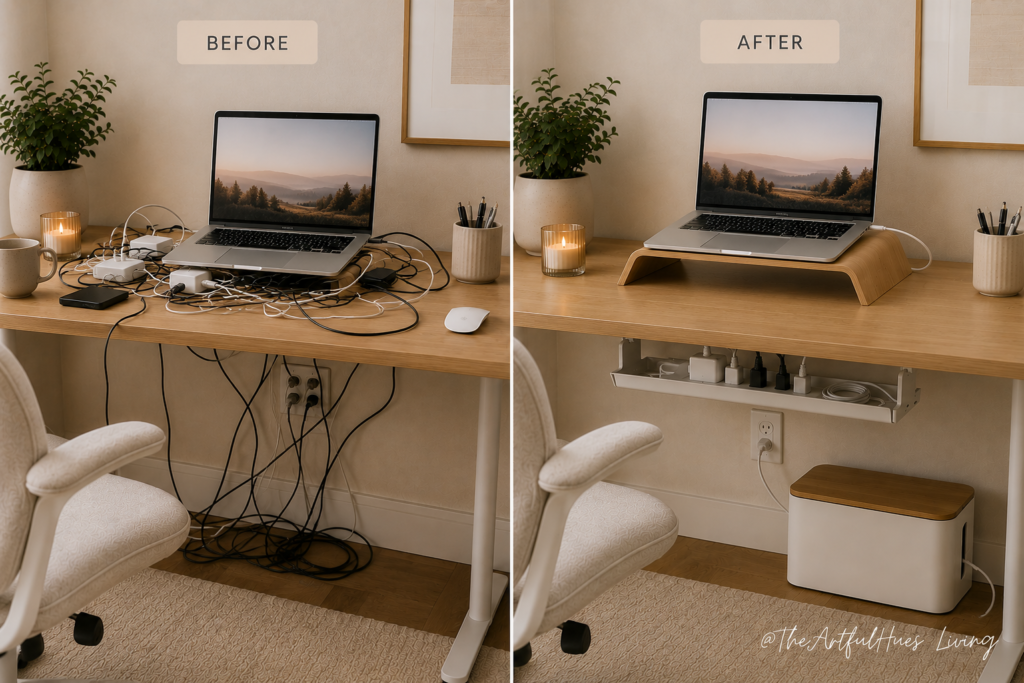
Final Thoughts: Cable Management Makes Your Desk Feel Calmer
A cleaner desk does not always require a full home office makeover. Sometimes, the biggest improvement comes from fixing the small visual distractions you see every day.
Messy cords can make a workspace feel cluttered, even when the rest of the desk is tidy. By using simple cable management ideas like cable clips, cable boxes, sleeves, labels, trays, reusable ties, and charging stations, you can create a desk that looks calmer and works better.
Start with the biggest problem first. If cords keep falling behind your desk, try cable clips. If your power board looks messy, use a cable management box. If cords are hanging on the floor, add an under-desk tray. You do not need to buy everything at once.
The goal is not perfection. The goal is a workspace that feels easier to use, nicer to look at, and less stressful to sit down at every day.
Happy organising — and here’s to a calmer, cleaner desk you actually enjoy sitting at.
For more small home office and desk organization inspiration, follow us at The Artful Hues on Pinterest.
Pingback: 12 Gentle Self-Care Essentials for a Calmer, Happier Home Routine - Home - The Artful Hues